Habity's E-Paper Bedside Clock prioritizes distraction-free sleep with intuitive controls and features designed to reduce phone reliance.
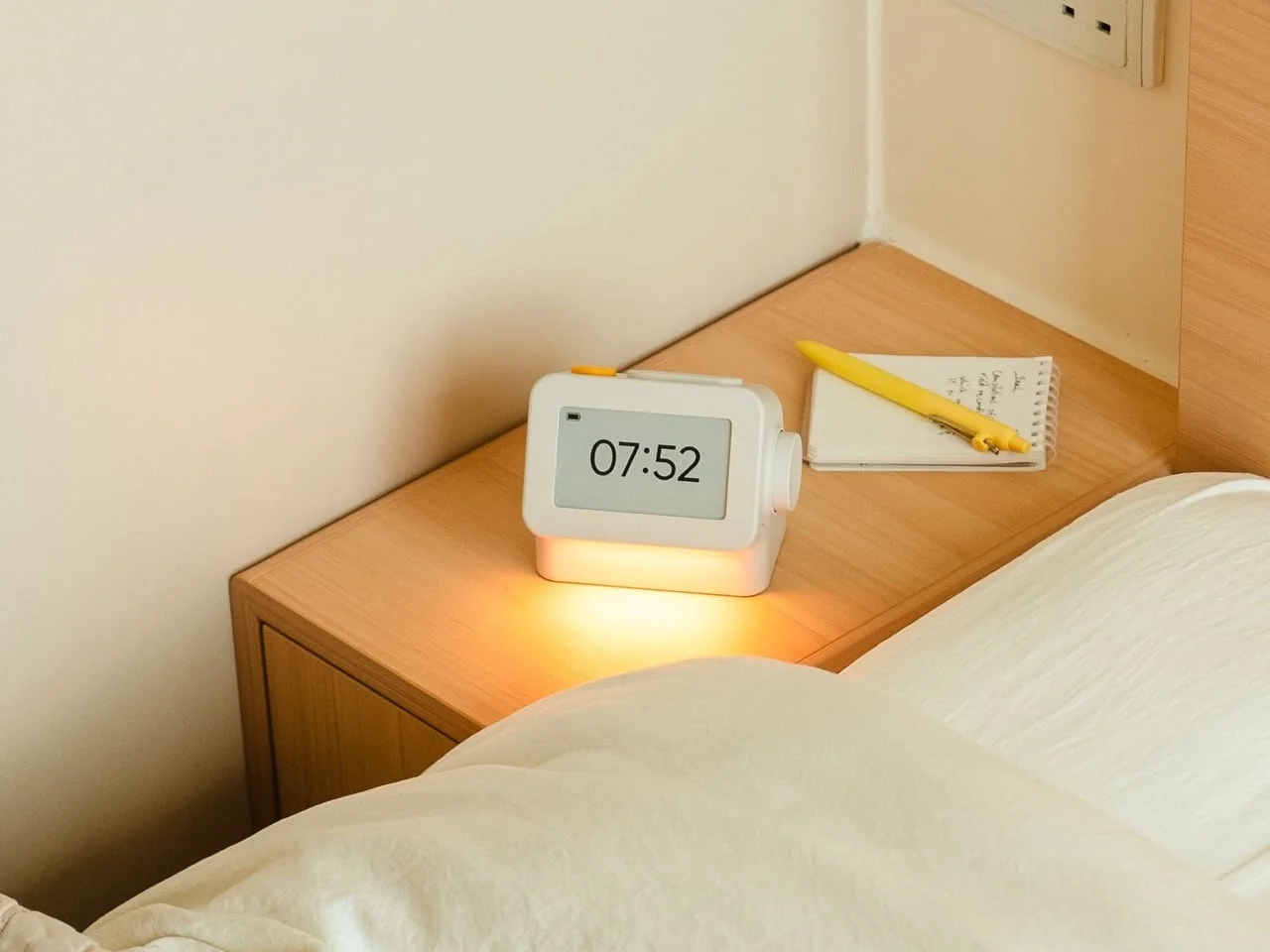
Smartphones have anchored themselves as essential bedtime companions, primarily due to their alarm features. Yet, their presence also invites a host of distractions at a time when tranquility is paramount. Habity's E-Paper Bedside Clock combats this by taking over the roles of alarm, sleep sounds, and nightlight while minimizing the need for a phone on your nightstand.
Design and Usability
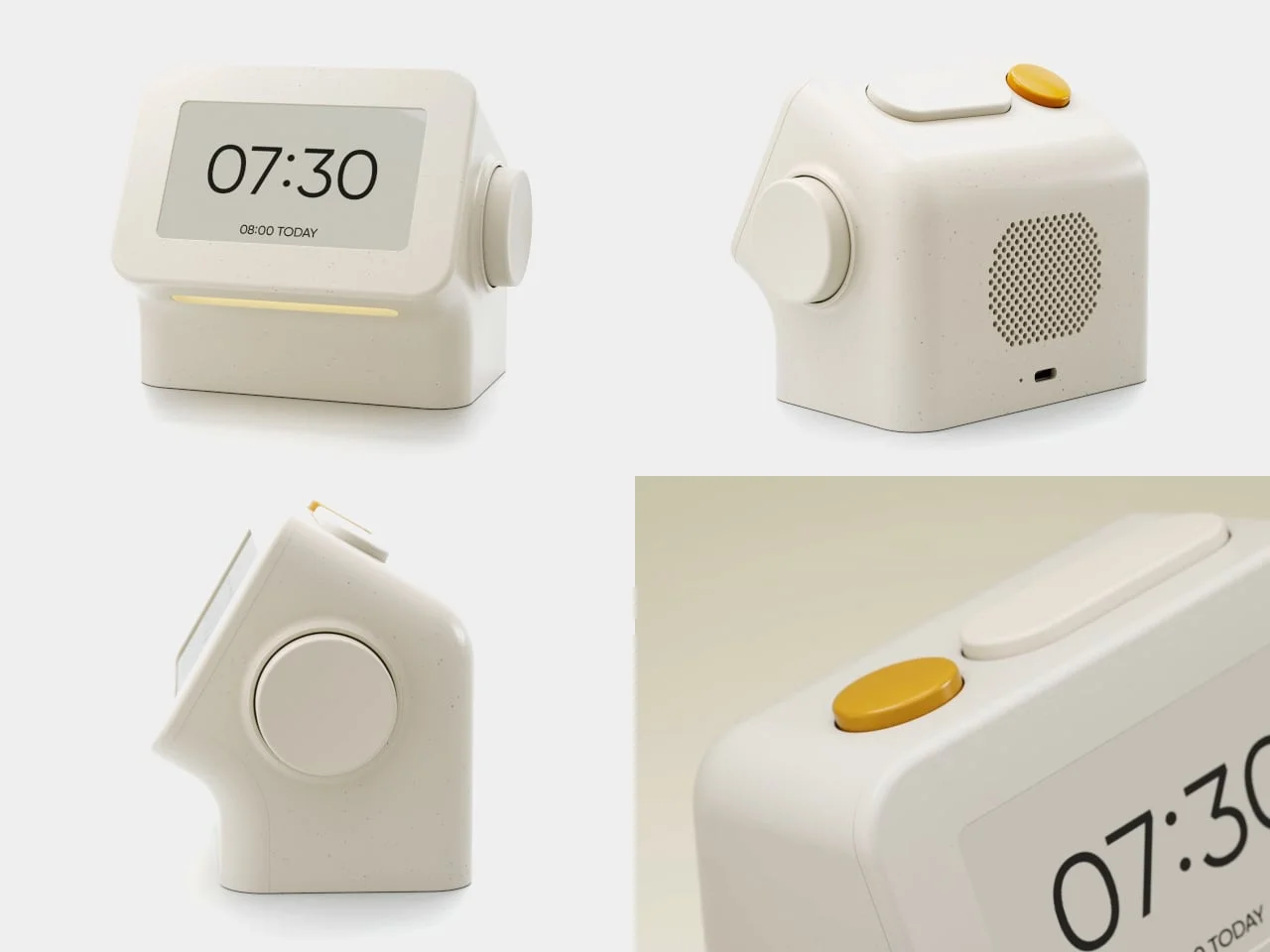
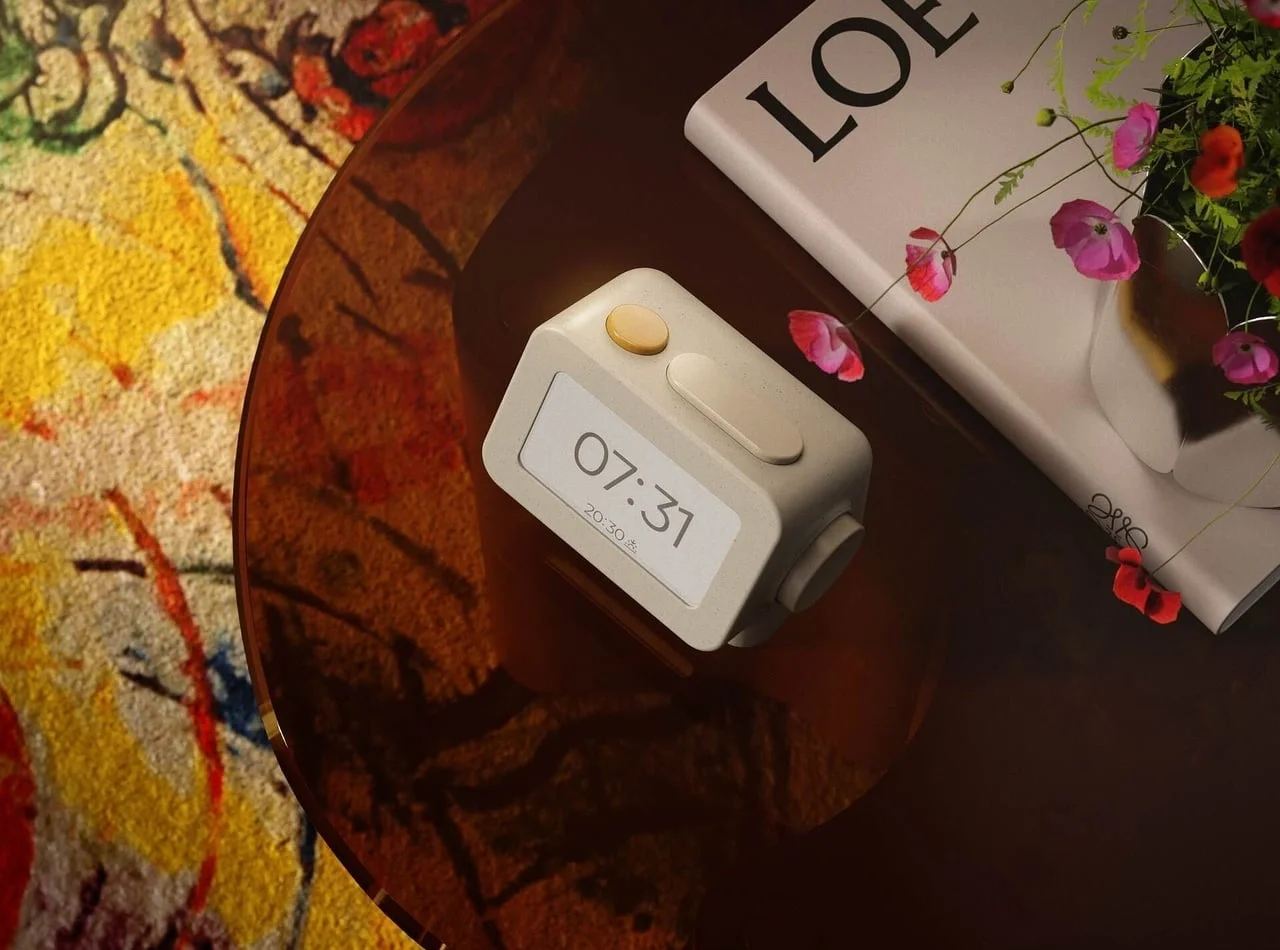
The clock’s rounded rectangular design, paired with a subtly tilted face, enhances usability. A substantial side dial allows you to adjust settings and volume easily by turning and pressing, while the top features a distinct yellow stop button next to a broad snooze key; their different shapes help prevent confusion when you’re groggy. This tactile design reflects a conscious effort to reduce one's reliance on screens in a world increasingly dominated by them.
Designed by Peter Arvad and Jesper Westendahl, the clock prioritizes tactile interactions over screens, making it user-friendly in low-light conditions. This approach is particularly relevant as many consumers are seeking products that encourage healthier nighttime habits. The emphasis on practical usability is commendable, especially given how many products today often prioritize aesthetics over function.
Screen Technology
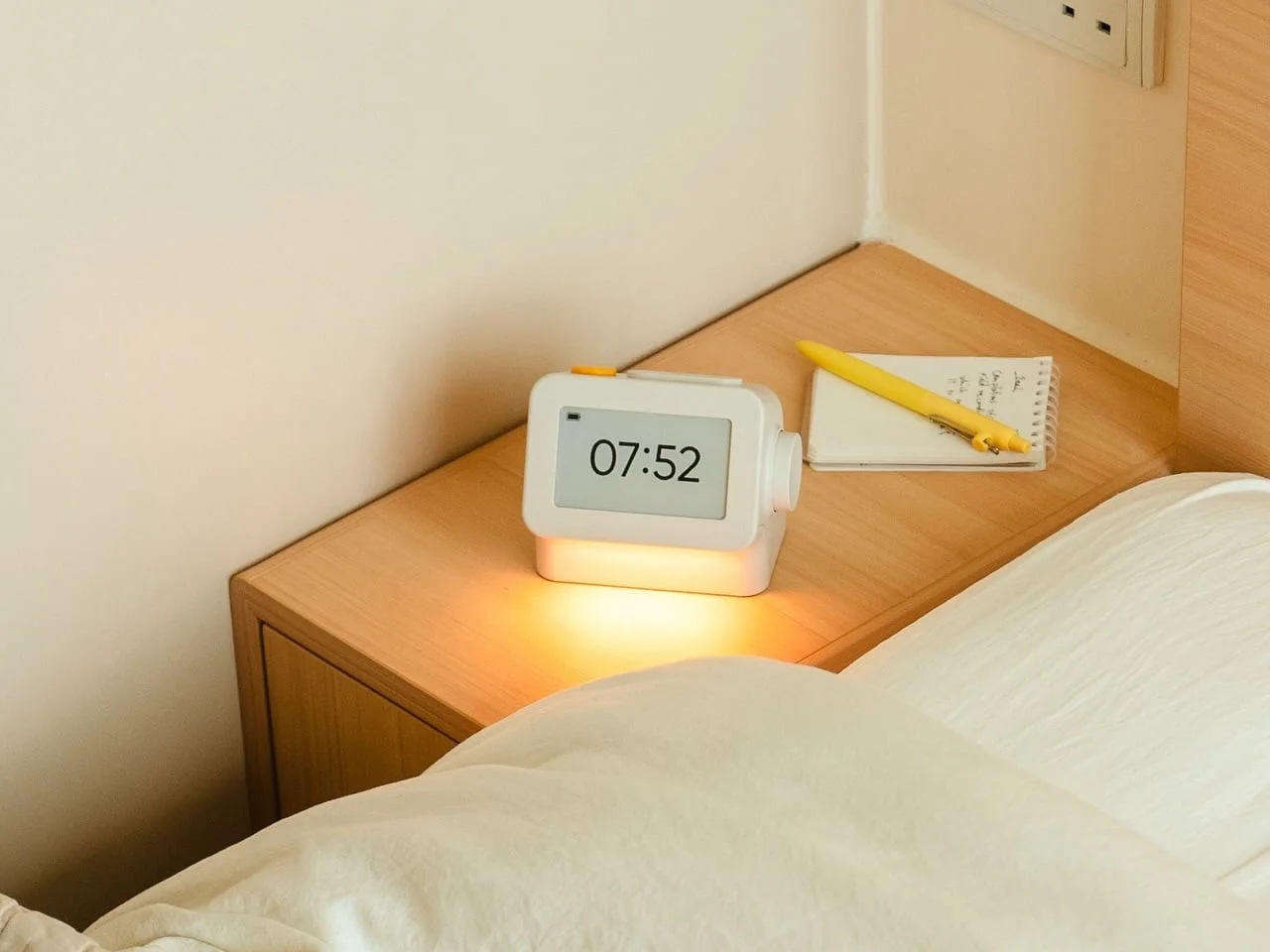
What truly sets Habity apart is its 3.7-inch e-paper display, which reflects ambient light rather than emitting continuous illumination. This feature helps avoid a glowing screen beside your pillow at night, a notable consideration for anyone sensitive to light while trying to sleep. This category of device often struggles with screen visibility in darker environments, leading to either naptime distractions or worse: disrupted sleep cycles.
When interaction is needed, a warm frontlight illuminates the display for 10 seconds, aiding visibility without disturbing sleep. Many existing alarm clocks fail to address the discomfort a bright screen can induce during nighttime hours. This thoughtful feature emphasizes Habity's goal of promoting a more restful sleep environment.
Sleep Sounds and Alarm Features
Integrating a built-in speaker, the clock boasts a selection of sleep sounds available without an app or subscription. You can choose from classic options like rain and ocean waves, or more quirky sounds like a sleeping dog or dishwasher. A double-press of the snooze button starts playback; volume can be adjusted via the dial. Sessions can last up to eight hours, allowing for a phone-free audio experience that many users will appreciate. It's a refreshing departure from products that tie essential functions to app ecosystems that can complicate user experience.
Alarm Functionality
Flexibility is key for morning routines. Users can set alarms based on weekdays or customize wake-up times for different days, although each day is limited to one alarm. This might be a limitation for some, especially those who prefer multiple alarms for various commitments. A built-in light can gradually brighten for up to half an hour before the alarm rings, providing a gentler wake-up experience. Such a feature aligns well with growing research on the benefits of gradual light exposure for improving wakefulness, making it a sensible choice for the sleep-conscious consumer.
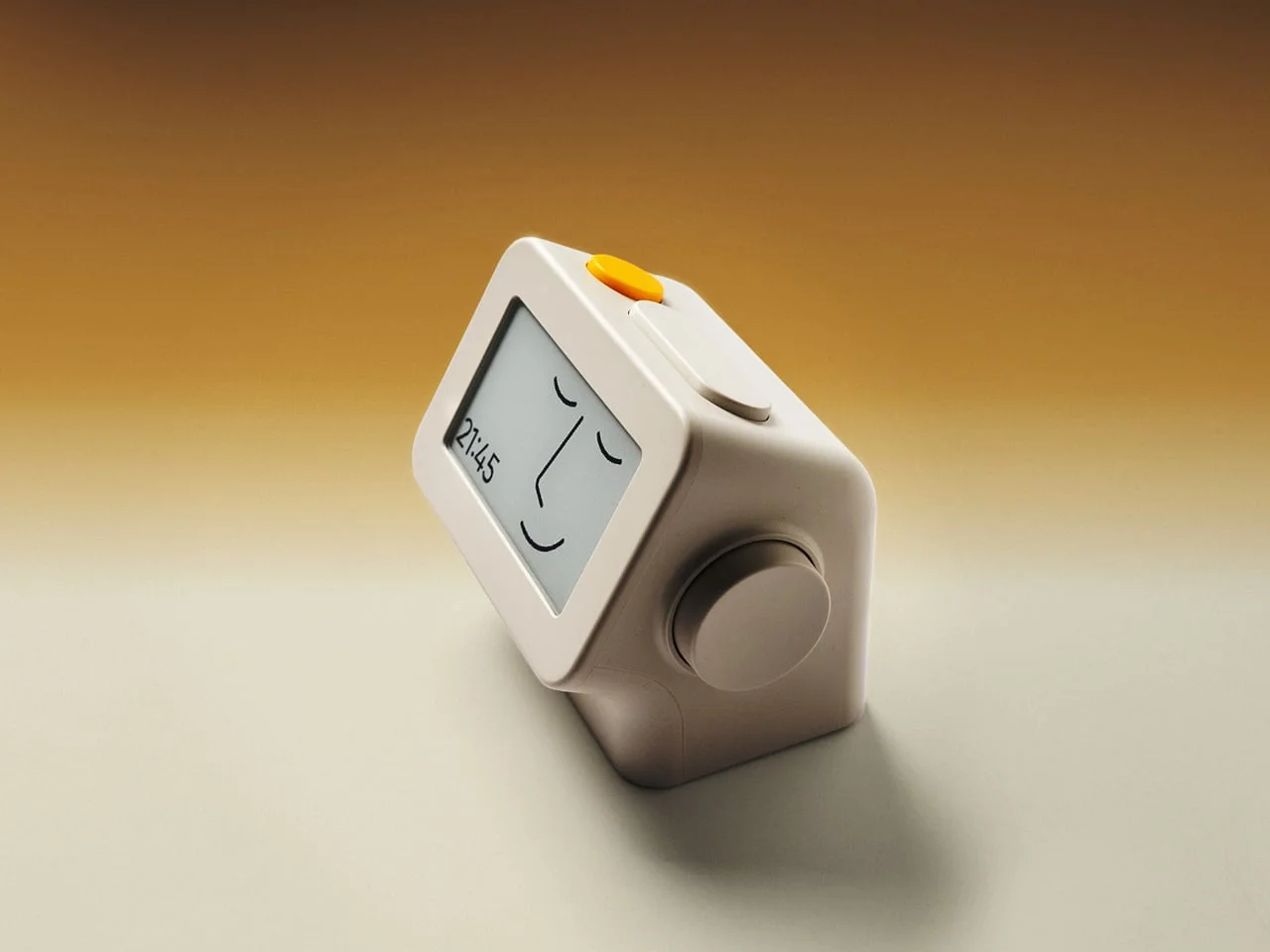
Once the alarm triggers, the snooze button offers an additional five minutes of sleep, which you can press multiple times. Interestingly, if the clock remains untouched for ten minutes, an optional idle screen activates, presenting a muted version of the time alongside an illustrated face. (And this is the part most people overlook) This feature is ideal for those who prefer not to constantly glance at the time, allowing you to disable it if you desire a persistent time display instead. This kind of flexibility demonstrates an understanding of diverse user preferences—always a plus.
Connectivity and Battery Life
While keeping the interface simple, Habity still offers optional Wi-Fi connectivity for automatic time-setting and compatibility with smart home systems like Philips Hue Bridge and Home Assistant. This, however, necessitates a USB-C power source. If you prefer to keep it offline, core alarm functions and sounds remain active without relying on your internet connection, which is particularly appealing for those wanting to avoid the distractions a smart device can bring.
Battery life is estimated at around two weeks, but recharging can take as long as 24 hours, so planning a top-up is wise if you aim to use the clock untethered. It won't completely replace your phone, but it certainly aims to create a more phone-free sleep environment. This balance between connectivity and simplicity may resonate with users who value function over constant digital engagement.
Implications and Future Outlook
The introduction of Habity's E-Paper Bedside Clock reflects an intriguing trend: the increasing desire for devices that allow users to disconnect. In a culture where smartphones reign supreme, subtracting their presence from the bedroom could lead to significant lifestyle changes. If you're working in this space, consider how this shift toward more analog solutions might influence product development. A product like the Habity clock isn't just a tool; it's part of a broader movement pushing back against a world dominated by screens.
This sets the stage for future iterations, where we might see further enhancements in sleep technology. Perhaps noise-cancellation features, personalized sleep sounds, or even integration with health monitoring apps could emerge. For now, Habity's clock stands as a testament to what can happen when design prioritizes user experience and well-being, potentially shaping the direction of similar devices in the market.

Discussion
Sign in to join the discussion.