Lenovo’s new 10.1-inch LCD tablet switches between vivid color, muted color and monochrome, with an optional case, pen and learning tools.


Lenovo’s Xiaoxin 10.1 Color Ink Soft Light Edition treats display modes as a way to adapt one tablet to different kinds of reading and learning. Its LCD can show vivid color, softened color or monochrome, while an anti-glare surface addresses reflections that color adjustments alone can’t fix. That pairing recognizes a basic limitation of screen presets: changing an image’s palette doesn’t change the light bouncing off the glass. The concept looks useful for households moving between illustrated lessons and long stretches of text, though the optional learning accessories and paid services shape the total package.

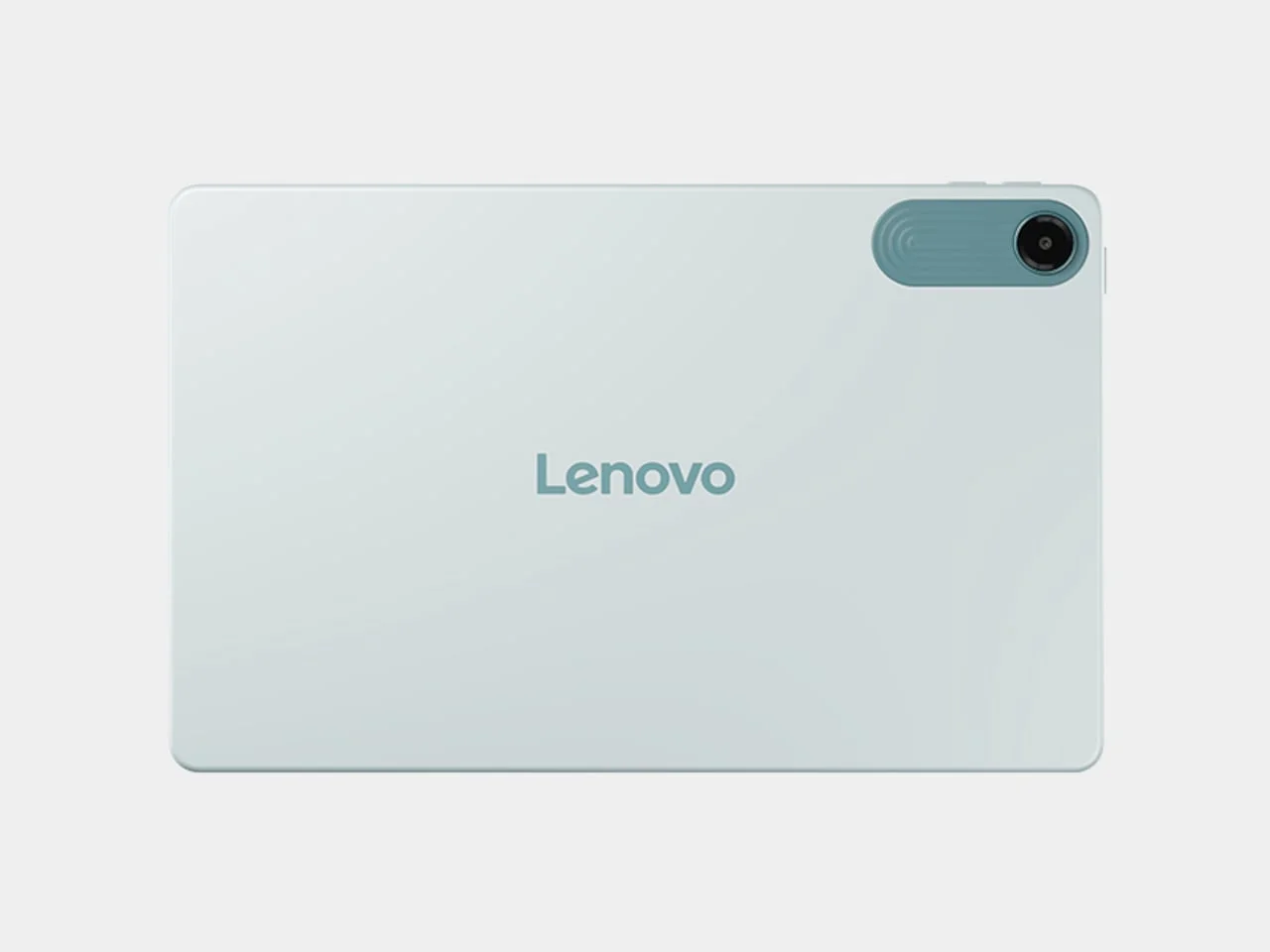
One LCD, three ways to read
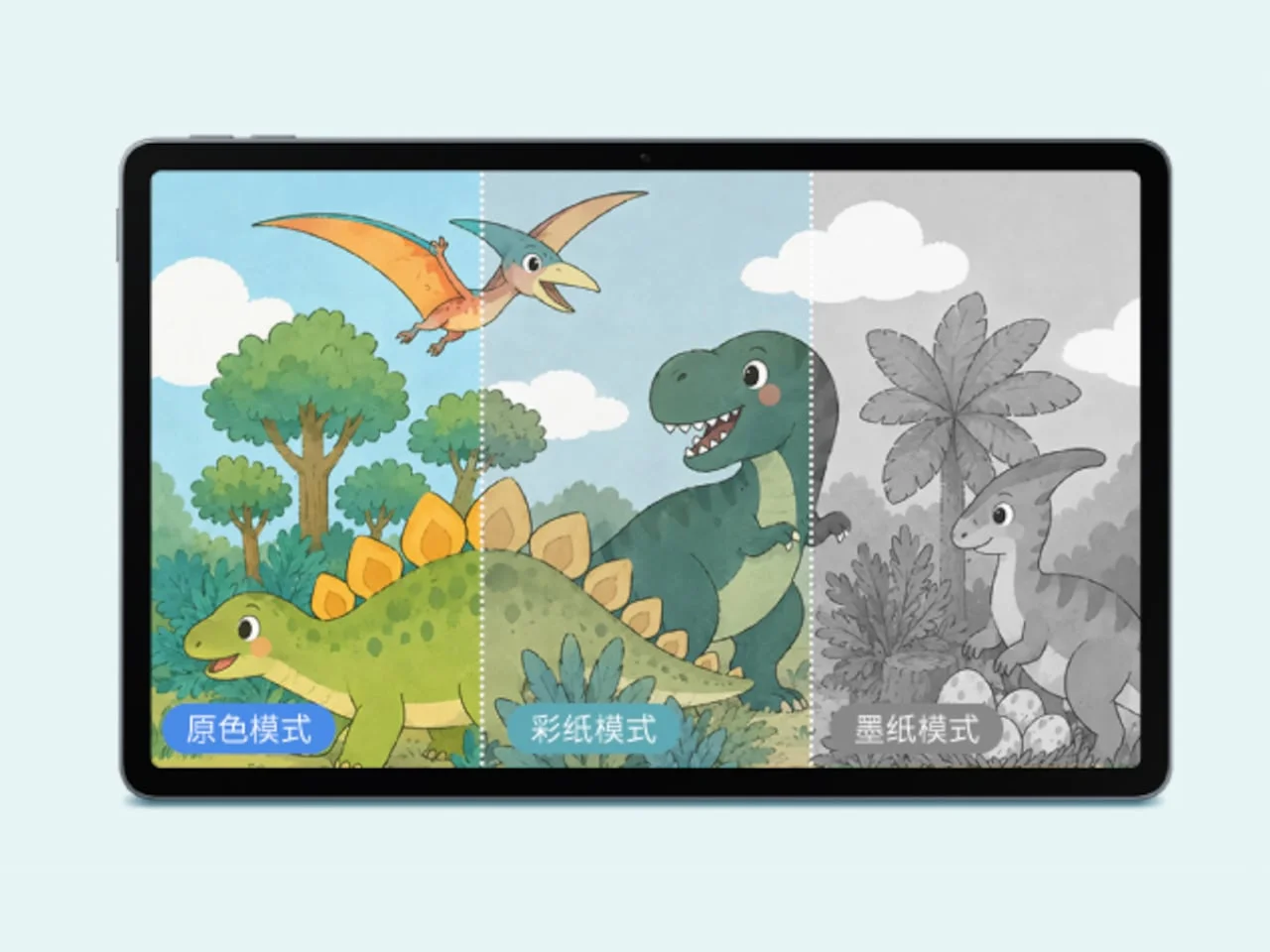
The three modes assign color according to the material on screen. Original Color is intended for animation and drawing, where a full palette can help keep illustrations and visual details legible. Color Paper tones down the palette for illustrated stories and science books, while Ink Paper strips color from text-focused content. The settings offer a quick way to change the tablet’s appearance as a child moves between tasks, rather than treating every page as if it called for the same display. That flexibility sets Lenovo’s approach apart from a device built around a single reading appearance, and resembles TCL’s NXTPAPER strategy, though TCL has begun shifting the technology from LCD to OLED.
That resemblance is about the premise: adjust a conventional screen to make different viewing tasks feel more appropriate. It doesn’t make this LCD an e-reader, and the listed specifications suggest Lenovo is still aiming for a general-purpose tablet that can handle media and motion as well as books. The modes may help reduce the visual intensity of some material, but they won’t change the underlying fact that users are still looking at a lit display.
The 10.1-inch display has a resolution of 2136 × 1280, a 120Hz refresh rate and typical brightness of 500 nits. Those specifications leave room for animation and smooth scrolling alongside static pages. A high refresh rate can make movement feel more fluid, while the resolution gives text and illustrations a defined canvas; neither specification alone says how comfortable a screen will feel during a long session. Lenovo’s AG anti-glare treatment targets reflected light, a separate consideration from whether the image is colorful or monochrome. This is more significant than it looks: reflections can remain distracting even after a display’s colors have been softened.
Designer: Lenovo

A learning setup with extra pieces
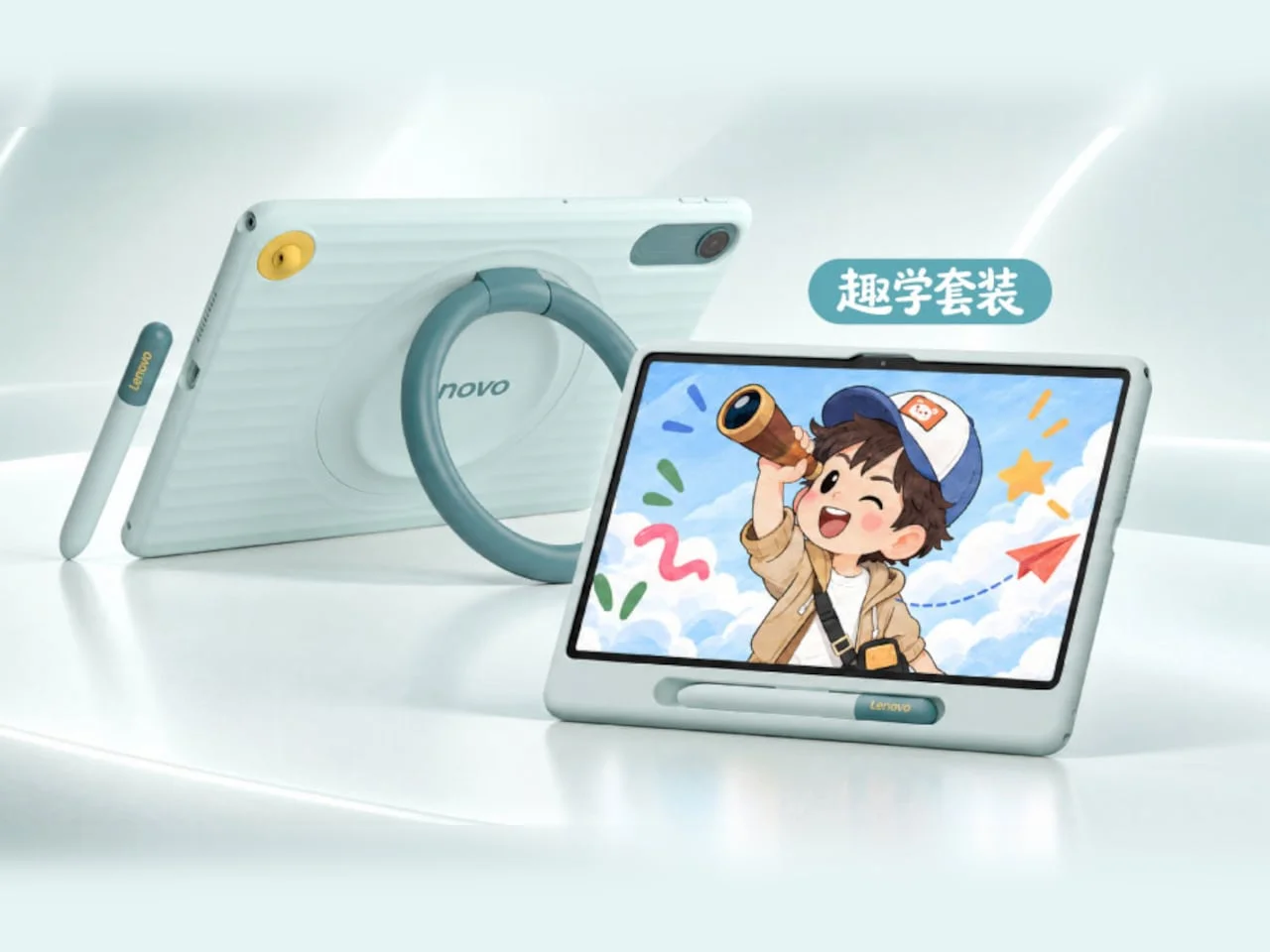
Lenovo’s optional learning bundle adds a protective case and pen. A large ring on the back of the case props up the tablet, while a recessed front slot holds the pen, keeping the two accessories together when the device is carried. It’s a practical arrangement for a child following lessons at a desk, where a stable viewing angle and a place to store the pen can make switching between reading and writing less awkward. The bundle’s status matters, though: neither accessory comes standard, so the out-of-box experience won’t include the full study setup.
The software layer comes from Lenovo’s Tianjiao Academy. Its resources and AI features cover spoken practice, homework explanations, encyclopedia questions and converting doodles into pictures. These examples point to a broad mix of guided study and creative use, rather than a narrow reading app. Parents can remotely manage screen time, apps and content, adding controls for how the tablet is used at home. Those tools complement the display settings by giving families a way to shape both the viewing experience and access to software, though some learning materials and AI functions require payment.
Here’s the thing: a list of features doesn’t show how useful the paid material will be for a particular household, or how often a student will use it. If you’re working in this space, that distinction matters: a tablet’s learning pitch depends on the quality and fit of its content as much as the hardware. The available details establish what the platform offers, but don’t explain the scope of paid access or how the subscription costs are structured (and this is the part most people overlook).

Familiar hardware, unanswered pricing
Inside, the tablet uses a MediaTek Helio G300 processor, with 6GB or 8GB of RAM and 128GB of expandable storage. That configuration gives Lenovo two memory options and room to add storage, although the listed specifications don’t establish how the processor performs in demanding apps or sustained multitasking. A 7,060mAh battery and 3.5mm headphone jack round out the listed hardware. The jack could be useful for families who already have wired headphones, while battery capacity alone doesn’t tell us how long the tablet will last under different workloads. The device comes in blue or gray.
Sales are scheduled to begin in China on October 30, 2026. Lenovo hasn’t announced pricing or US availability. That leaves key purchasing questions open: the cost of the tablet, the learning bundle and paid services will determine whether the display concept adds up to an affordable study device or a more expensive package of separate purchases.
The display modes make the tablet’s pitch easy to understand, but the feature list can only take the story so far. What this means for you is that the practical value will depend on how often the household switches between color-rich lessons and text, and whether the anti-glare surface works well in the rooms where the tablet will be used. And yet, the clearest test may be simpler: whether the software and accessories earn a place in a child’s routine. A promising idea, with the price still missing.
The post Lenovo’s Color Ink Tablet Switches Its LCD From Full Color to Black and White first appeared on Yanko Design.


Discussion
Sign in to join the discussion.