The Stealth Flip pairs conventional gamepad controls with flip-over touchpads and a dedicated trackpad for PC navigation, with a few practical trade-offs.
A controller built for the Windows couch setup
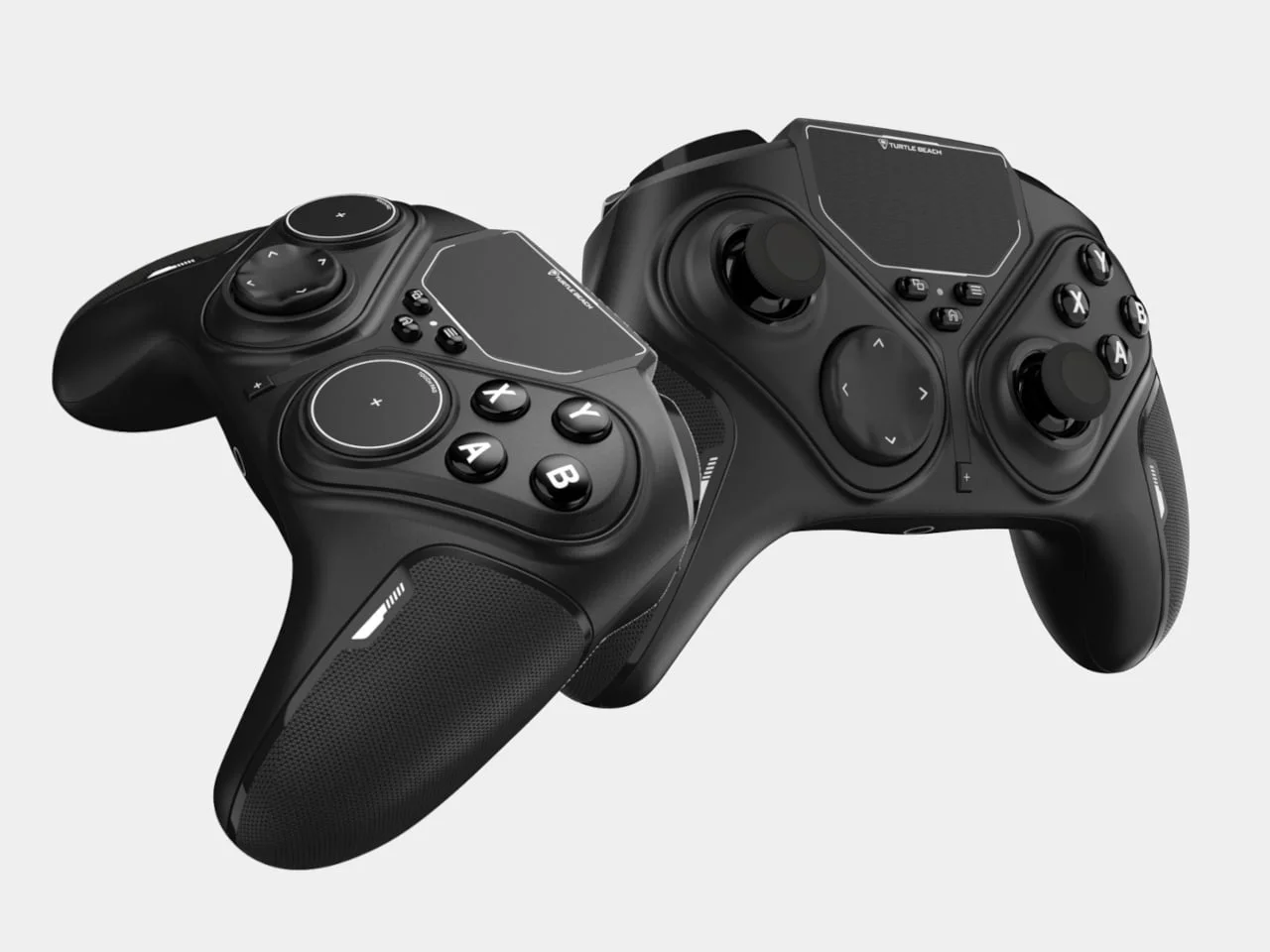
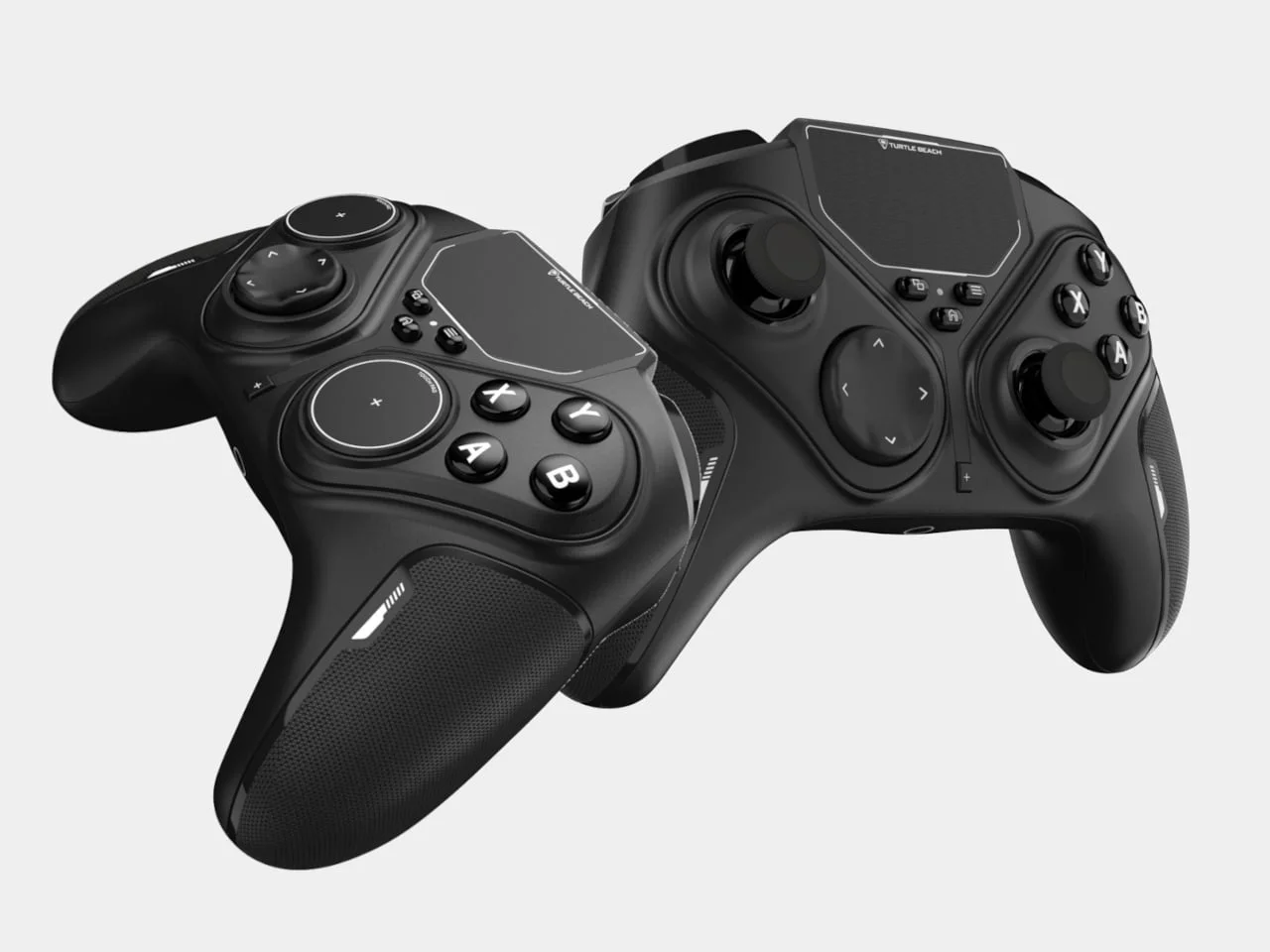
Turtle Beach’s Stealth Flip takes aim at a familiar PC gaming snag: a gamepad works for play, then Windows menus send you hunting for a mouse. Its answer is to build two alternative controls into the same controller. The thumbstick modules rotate to expose touchpads, and a separate trackpad handles the cursor and desktop navigation.
That combination speaks to a specific use case: playing PC games from a sofa or television, where the usual keyboard and mouse may be out of reach. A controller can make a game feel natural from that distance, but launching it, adjusting settings or moving through desktop menus can bring the convenience to a halt. The Stealth Flip tries to cover those small transitions as well as the game itself.
Designer: Turtle Beach
Two ways to control a game
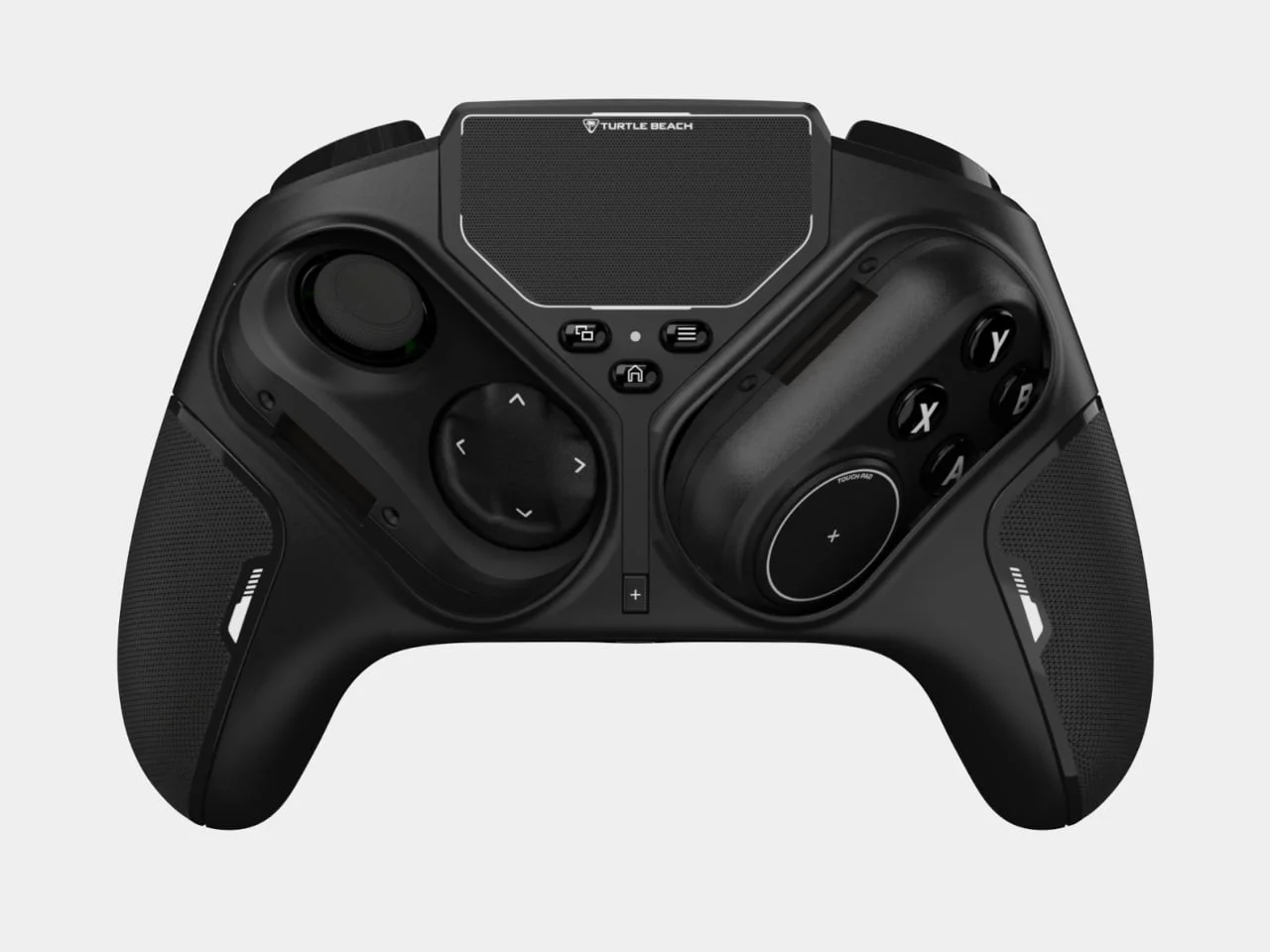
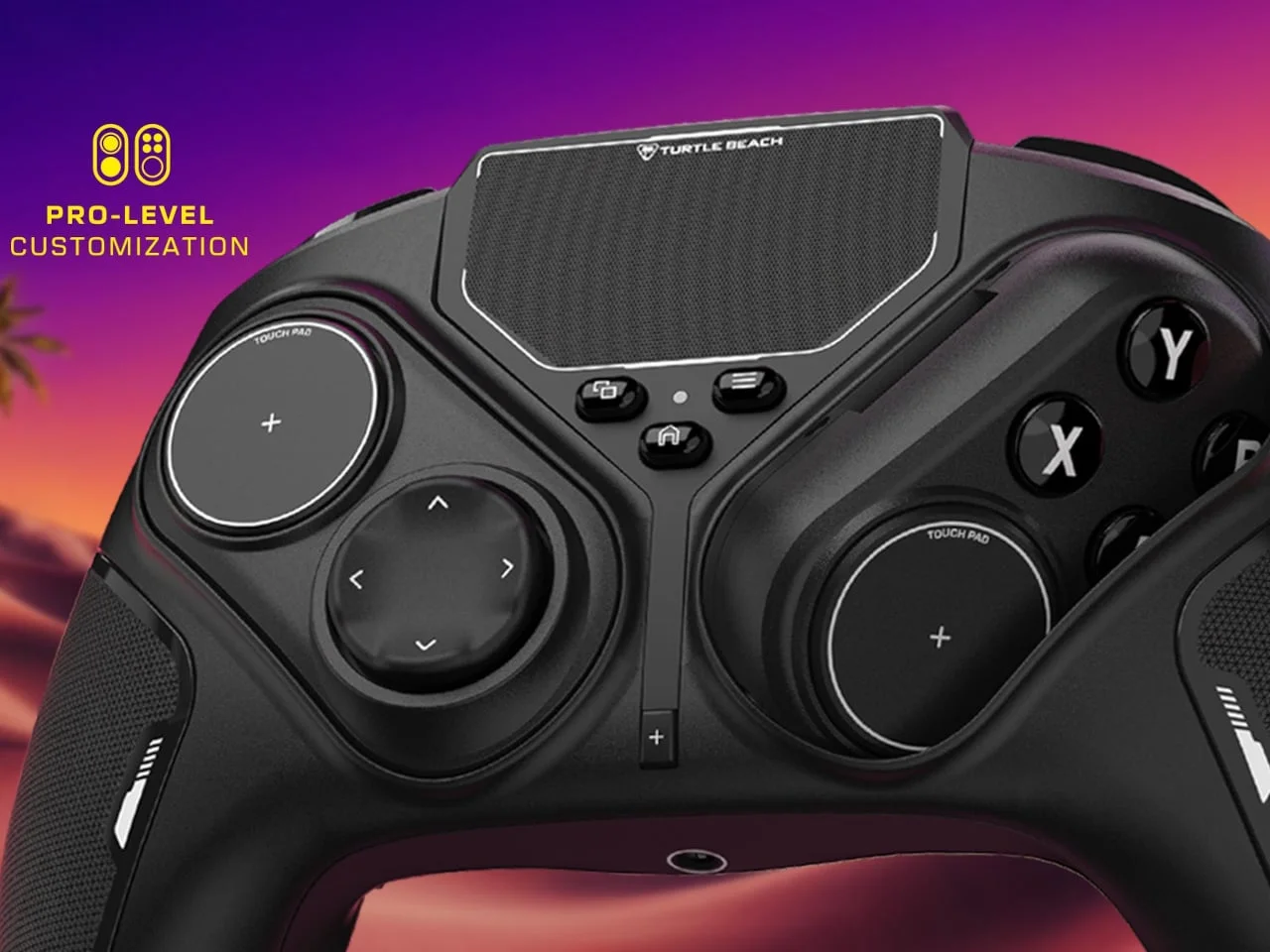
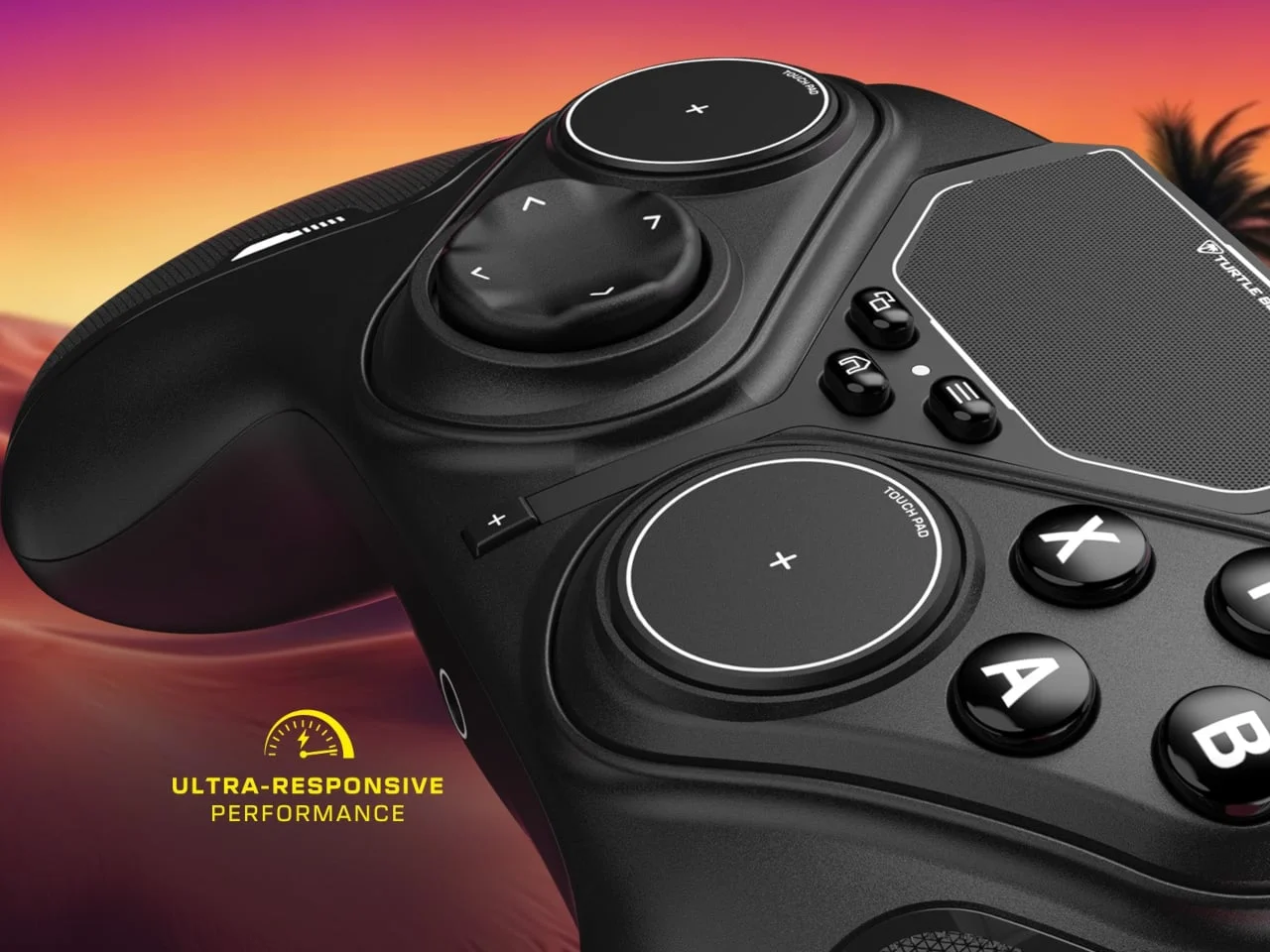
At first glance, the black body, textured grips, offset sticks, circular D-pad and four lettered face buttons look like a conventional gamepad. The elongated outlines around the stick and button modules give away the unusual part: rotate them, and the sticks reveal two flat, circular capacitive touchpads. The D-pad and face buttons stay in place, so the change affects thumb movement without removing the other core controls.
That arrangement makes the controller’s defining feature easy to understand: it changes the surface under your thumbs without requiring a second accessory. The fixed D-pad and face buttons preserve the familiar layout for actions that depend on distinct presses, while the rotating modules offer a different way to steer or aim. The touchpads are capacitive, so they register movement through contact rather than through the physical pivot and travel of a stick.
That physical switch has a practical appeal. There are no loose modules to keep track of, and players can choose between sticks and touchpads on the controller itself. But the difference in feel matters: a touchpad lacks the resistance and defined movement of a stick. The design offers another input option; whether it suits a particular game will depend on how the player gets on with that trade-off.
This is more significant than it looks, because swapping controls can change how a game feels even when the buttons stay the same. A stick gives your thumb a physical center and a clear sense of direction; a flat pad asks you to judge motion through finger contact. That might suit some players or tasks better than others, but the controller’s layout alone can’t establish which. The real test is whether the change feels useful after the novelty wears off.
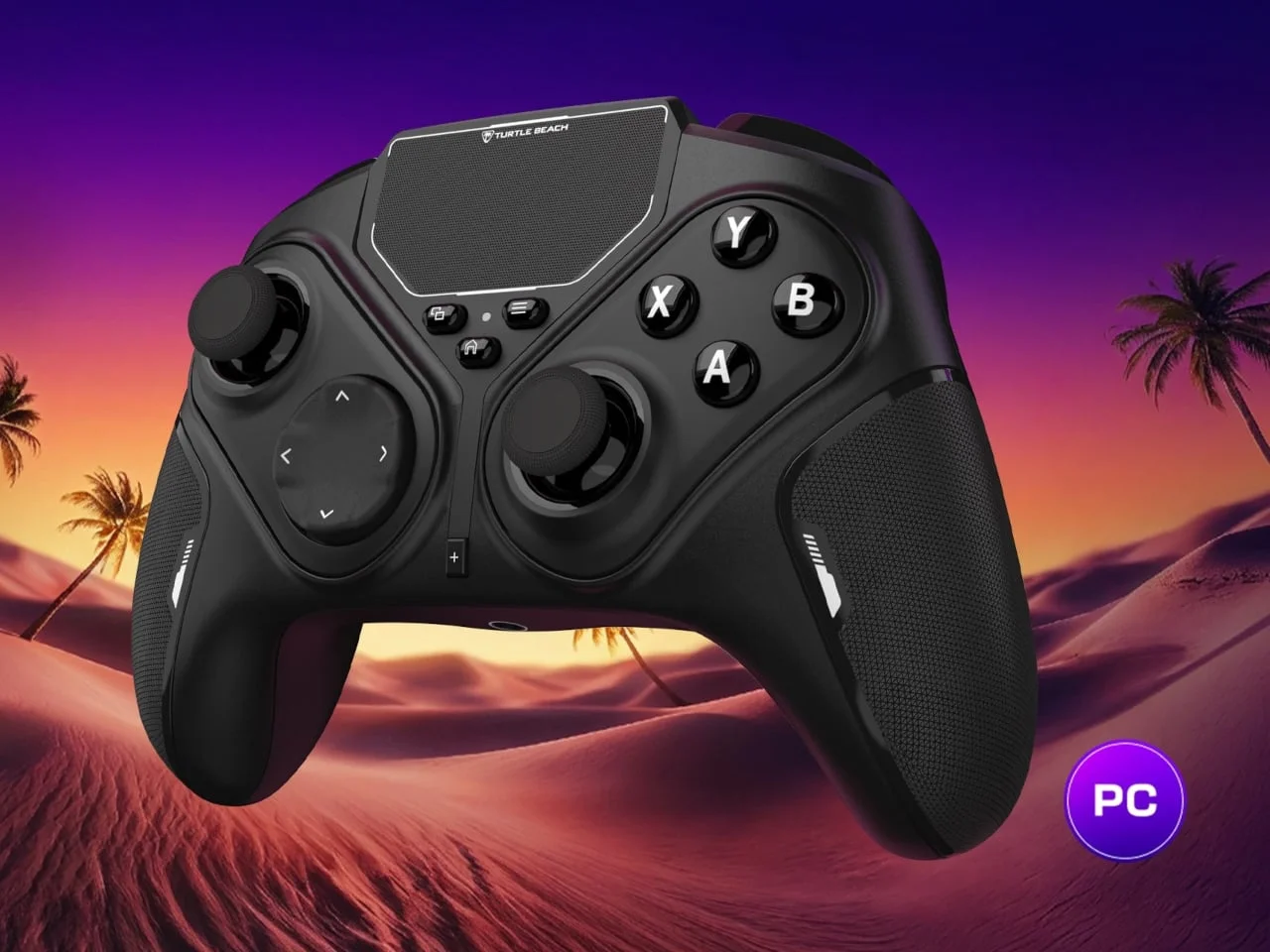
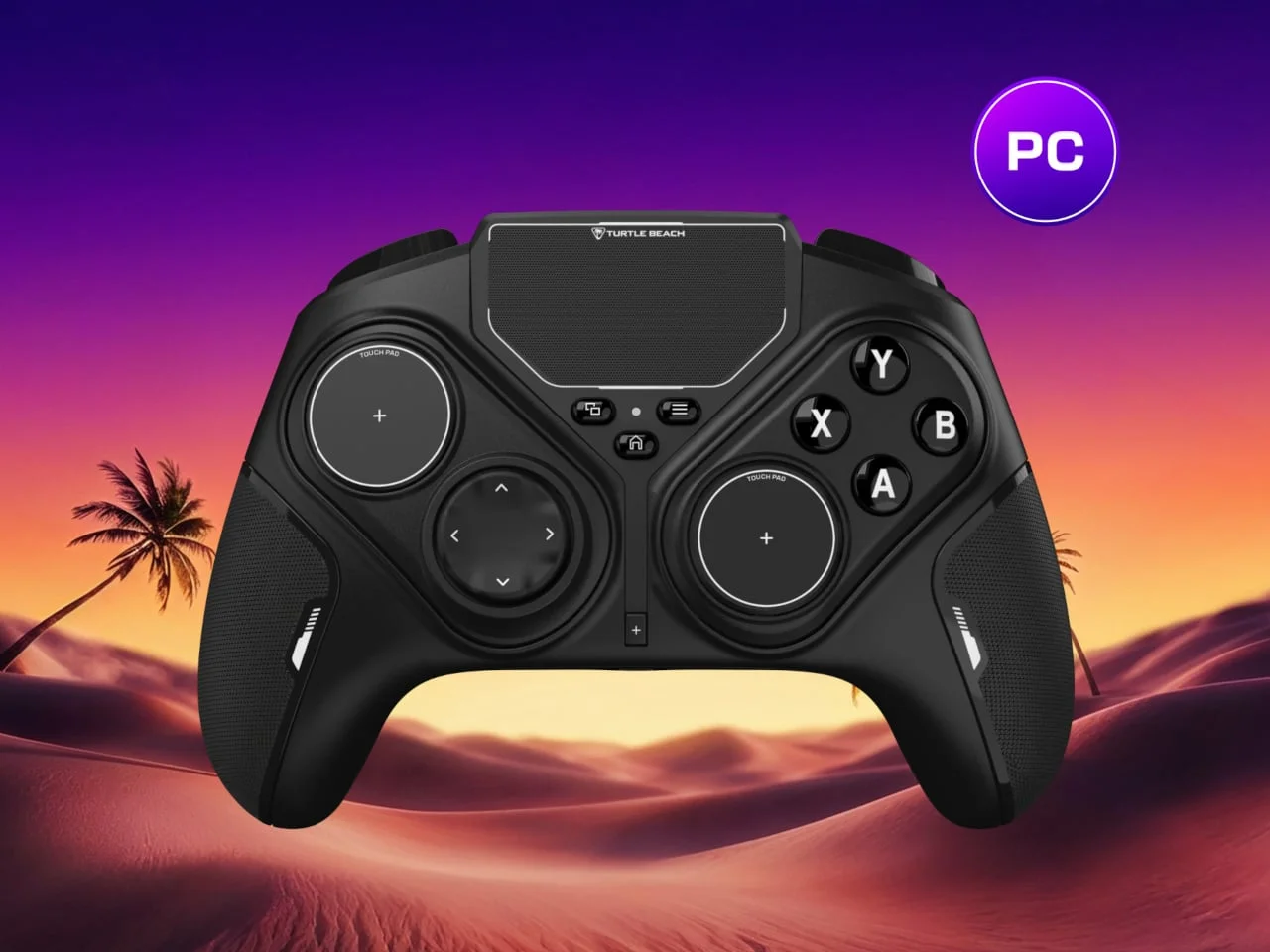
The dedicated trackpad addresses a separate job: moving a cursor and navigating Windows without reaching for a mouse. That could make the controller more convenient for a PC set up in the living room, where a mouse may be awkward to use from the couch. Still, its compact surface isn’t a full-size mouse replacement.
That distinction matters. Moving a pointer across a desktop is only part of using a computer; selecting small controls, typing and managing several open windows can still call for other input devices. The built-in pad may be enough for quick navigation between games and settings, but its small size puts a limit on how much work it can comfortably take on. A useful shortcut. A complete desktop setup is another question.
Features and connection details
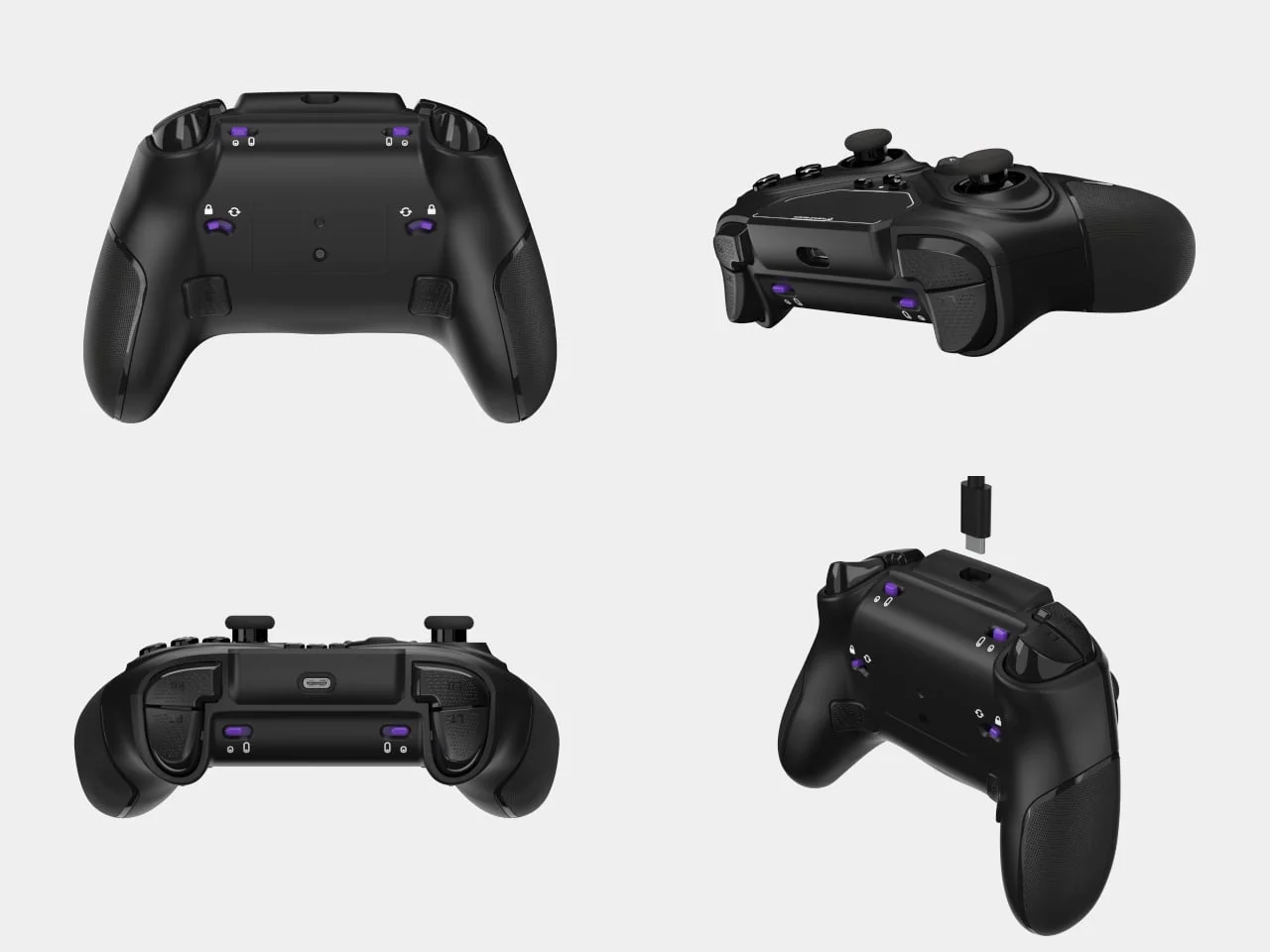
Two mappable rear buttons add extra inputs, while adjustable trigger stops let players choose between a shorter pull and full travel. Four onboard profiles store different layouts. Turtle Beach’s Swarm II desktop app provides controls for mappings, macros and stick sensitivity curves.
These features give the controller room to adapt to different games and preferences. Rear buttons can put extra commands within reach of the fingers already holding the grips, while trigger stops let players choose how far a trigger needs to move. Profiles can save alternate layouts on the controller, and the app provides a way to change those mappings and tune stick response. If you’re working in this space, the practical question is how often you’ll want to change profiles, and whether the controls are clear enough to make that worthwhile.
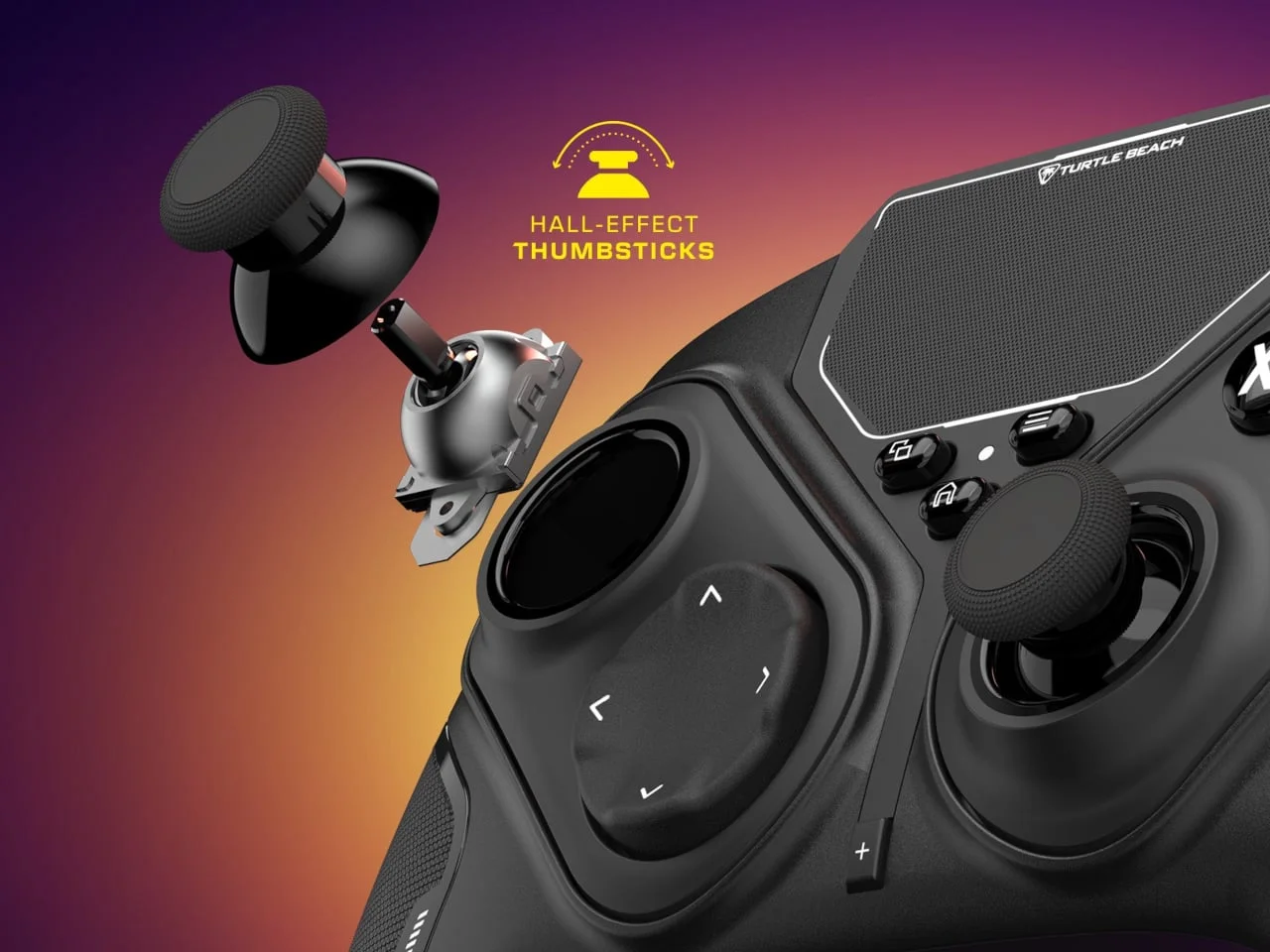
The sticks use magnetic Hall-effect sensing, which Turtle Beach says is resistant to drift. The company also quotes polling rates of up to 1,000Hz, with an important condition: that rate applies to a wired PC connection. Wireless PC play uses the included USB transmitter; Bluetooth supports compatible Android devices and smart TVs. Turtle Beach doesn’t list support for Xbox or PlayStation consoles.
Those details define where the product fits. The stated polling rate is tied to a wired connection, so it shouldn’t be read as a wireless performance claim. The USB transmitter handles wireless PC use, while Bluetooth extends compatibility to certain other devices; neither detail changes the absence of listed Xbox or PlayStation support. The Hall-effect sticks are a feature claim from Turtle Beach, and the source doesn’t provide independent durability results.
A 3.5mm jack supports a wired headset, and Turtle Beach claims up to 20 hours of battery life per charge. The included USB cable can also keep the controller in use while it charges. The Stealth Flip launched at $99.99 in the US.
That fills out the everyday picture: headset audio has a direct connection, and the cable can serve for charging while play continues. The quoted battery life gives buyers a reference point, though actual runtime can depend on use and settings; the source doesn’t specify those conditions. At $99.99 in the US, the controller asks buyers to pay for a bundle of specialized controls, so the value depends on whether those controls solve a recurring problem for them.
Convenience is the pitch; comfort is the test
The Stealth Flip’s strongest case is convenience: it combines game controls, alternate thumb inputs and basic PC navigation in one device. Its usefulness will hinge on whether the touchpads feel natural in play and whether the built-in trackpad is enough for the Windows tasks a couch setup demands.
Here's the thing: packing more controls into a single device only helps if each one is comfortable and reliable enough to use. The rotating modules are a distinctive way to offer two thumb inputs, but they also make familiarity a question rather than a given. A conventional controller asks little of its owner; the Stealth Flip asks players to decide which mode suits the game, then learn how the touchpads respond.
And yet, that trade-off may be reasonable for someone who regularly moves between games and Windows from the same seat. The design addresses a real annoyance, even if the trackpad won’t turn a gamepad into a desktop mouse and keyboard. What this means for you depends on the setup: if you mostly play with sticks and rarely leave a game, the extra controls may see little use; if you often navigate a PC from the couch, they could earn their space.
The post Turtle Beach’s Stealth Flip Controller Switches From Thumbsticks to Touchpads first appeared on Yanko Design.

Discussion
Sign in to join the discussion.